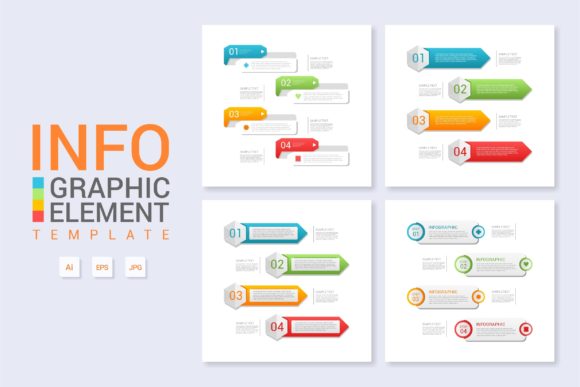
Infographic Template Vol.5: Visual Design Made Simple
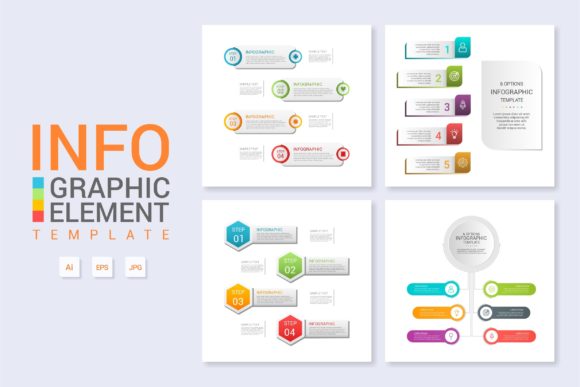
Creating professional visuals often feels like a balancing act between aesthetic appeal and clear communication. For designers, marketers, and business owners who need to present complex information quickly, Infographic Template Vol.5 offers a streamlined solution. This resource is specifically engineered to bridge the gap between raw data and engaging storytelling. Rather than starting from a blank canvas, users gain access to a pre-structured framework that maintains high design standards while allowing for extensive customization. It serves as a practical toolkit for anyone needing to visualize workflows, product details, or organizational diagrams without spending hours on layout architecture.
Understanding the Core Purpose and Value
At its heart, this template collection is about efficiency without sacrificing quality. The primary value lies in its versatility. While many design assets are rigid, Infographic Template Vol.5 is built to adapt. It functions equally well as a detailed workflow layout for internal team documentation or as a polished banner for a public-facing website. The "About the Product" infographic sections are particularly valuable for e-commerce and SaaS platforms where explaining features visually can significantly reduce bounce rates and improve user comprehension.
The appeal extends beyond just saving time. It provides a consistent visual language. When you use a cohesive template system, your diagrams, web graphics, and presentation slides share a unified identity. This consistency builds trust with your audience. For freelancers and agencies, this means delivering client work faster while maintaining a premium look. For educators and trainers, it translates abstract concepts into digestible visual chunks that enhance learning retention. The template removes the friction of design decisions, allowing you to focus entirely on the accuracy and clarity of your message.
Practical Applications Across Different Fields
The flexibility of this asset makes it relevant across a wide spectrum of personal and professional contexts. Understanding where to apply it can help maximize your return on investment.
- Digital Marketing and Web Design: Use the diagram layouts to create comparison charts for blog posts or landing pages. Visual content is shared more frequently than text-only content, making these templates essential for social media strategy and SEO-rich articles.
- Business Operations: Map out standard operating procedures (SOPs) or employee onboarding processes using the workflow layouts. A visual guide is often referenced more than a dense policy document.
- Product Development: Utilize the "About the Product" sections to highlight key features, technical specifications, or user benefits in pitch decks and investor presentations.
- Education and Training: Transform lesson plans or training modules into visual timelines and process flows. This is especially effective for adult learners who benefit from structured, graphical information.
- Freelance Portfolios: Showcase case studies by visualizing the problem-solving journey. Clients appreciate seeing a clear narrative of how you achieved results.
Key Features That Simplify the Workflow
Technical accessibility is a major concern for non-designers. Infographic Template Vol.5 addresses this through thoughtful file organization and editing capabilities. The most critical feature is that everything is layered and organized. In many downloaded assets, layers are merged or poorly named, making edits frustrating. Here, logical grouping allows you to isolate specific elements—like headers, icons, or background shapes—instantly. This structure respects your time and reduces the learning curve associated with vector editing software.
Modification is designed to be intuitive. You can simply change the text to fit your narrative without breaking the layout. The typography and spacing are set up with flexible containers, meaning longer headlines or bullet points won't destroy the composition. This ease of modification ensures that the template remains useful long after the initial download, serving as a reusable asset for future projects rather than a one-time fix.
File Formats and Technical Compatibility
Professional workflows require industry-standard files. This package includes both the Main AI File and the Main EPS File. The Adobe Illustrator (AI) file is ideal for users who want full editability within the native environment, offering access to all advanced effects and artboards. The Encapsulated PostScript (EPS) format provides broader compatibility, allowing users with older software versions or alternative vector editors to open and modify the designs. This dual-format approach ensures that technical limitations do not hinder creativity.
Additionally, the inclusion of free fonts eliminates a common licensing headache. Commercial font licenses can be expensive and confusing. By utilizing free, high-quality typefaces, the template ensures that your final output is legally safe for commercial use, web embedding, and print distribution. You won't encounter missing font errors or be forced to purchase additional assets just to open the file correctly.
Important Considerations Before You Begin
While Infographic Template Vol.5 is designed for ease of use, a few practical considerations will ensure the best results. First, assess your software proficiency. Although the template is beginner-friendly, having a basic understanding of vector editing tools like Adobe Illustrator will unlock its full potential. If you are completely new to vector graphics, spend a few minutes watching tutorials on layer management and text editing before diving into a complex project.
Second, consider the context of your final output. These templates are vector-based, which means they scale infinitely without losing quality. However, if you plan to use them for web design, remember to export in appropriate formats like SVG or optimized PNG to maintain fast page load speeds. For print materials, ensure your color mode is set to CMYK rather than RGB to guarantee accurate color reproduction.
Finally, think about content hierarchy before you start designing. The template provides the structure, but you must provide the substance. Draft your text and organize your data points before opening the file. Knowing exactly what information needs to be highlighted will help you select the right layout variation from the volume. Trying to force too much text into a diagram meant for brief summaries can clutter the design and reduce readability. Match the template’s intended density with your actual content needs.
Making the Most of Your Design Asset
Treating this template as a foundation rather than a finished product yields the best outcomes. Customize colors to match your brand guidelines strictly. Swap out generic icons for custom illustrations that resonate with your specific niche. Adjust the grid if your content requires a unique flow. The goal is to make the final piece look bespoke, not templated.
For entrepreneurs and small business owners, this level of polish signals professionalism. In a digital landscape saturated with low-effort content, a well-executed infographic stands out. Whether you are explaining a complex SaaS workflow, showcasing product benefits, or creating educational banners, Infographic Template Vol.5 provides the structural integrity needed to communicate effectively. By leveraging organized layers, editable text, and compatible file formats, you transform the daunting task of visual design into a manageable, repeatable process that supports your broader business and creative goals.